Connection lost in Coin Master: how to fix it
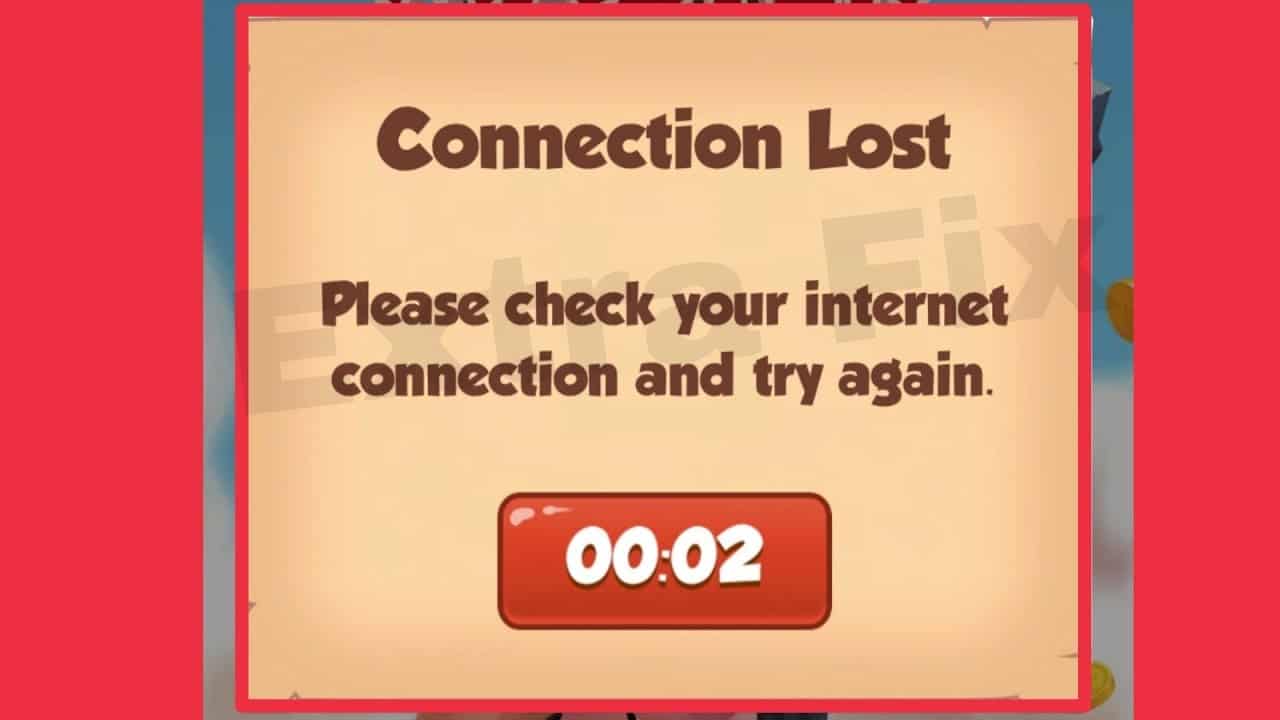
One of the most common errors in Coin Master is Connection lost. When this happens, the game won’t let you do anything and only a button to try again will appear.
Why does the Connection lost error appear?
This error mainly occurs when we log in with our Facebook or Apple ID.
When you enter the game, you can save your progress with any of these platforms’ accounts, and sometimes this synchronization causes connection problems that trigger this warning.
Another common problem occurs when Coin Master does not go beyond the loading screen, which has similar causes and solutions to those explained in this guide.
How to fix the Lost Connection problem
If you see this warning message in Coin Master, what you need to do is open your mobile’s background application manager and completely close the app.
Then, reopen it, and your username should be loaded and the application should open correctly.
In other words, the solution is to reset the application so that it reloads completely. If you are unsure whether you have followed the above steps correctly, you can uninstall the app and reinstall it.
If it still doesn’t work, check your internet connection: go to Google and search for anything to check that your data or WiFi is stable.
If your WiFi is not working properly, you can disable WiFi on your device and use only mobile data, which sometimes offers better coverage.